By Tihan van der Walt | 16 November 2026
Here’s something worth doing before you read on. Open ChatGPT and ask it about your own business by name, then ask it who it would recommend for what you do in your area, and see whether you’re in the answer.
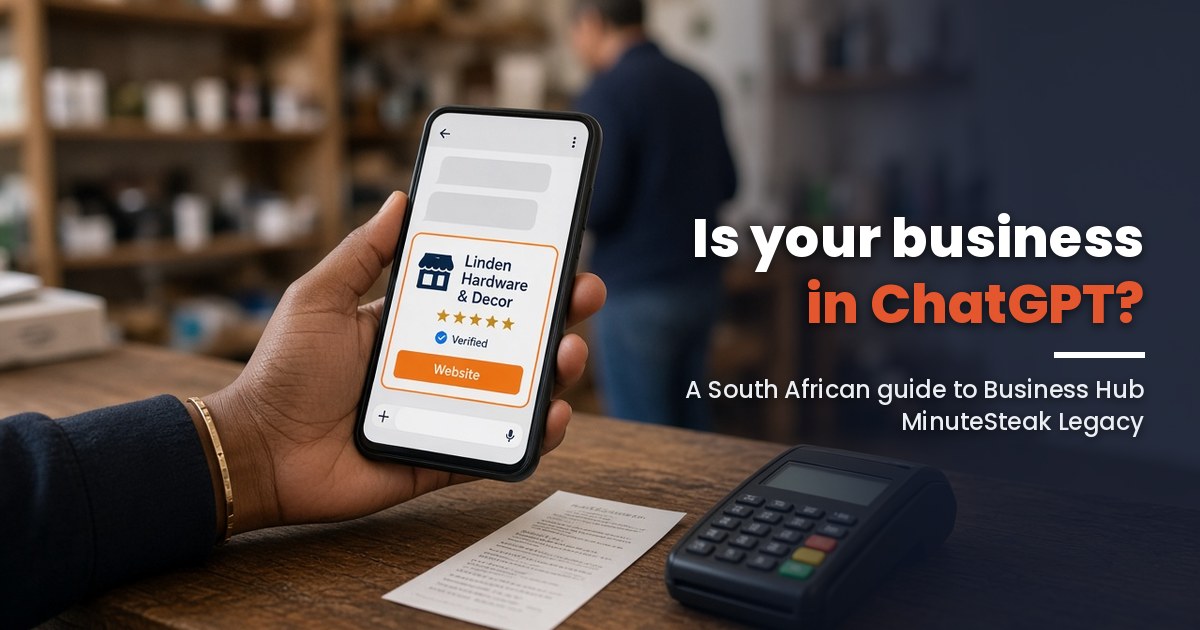
On 10 November 2026 OpenAI gave businesses a way to have a say in that. Its announcement reads: “We’re introducing Businesses in ChatGPT in beta, giving businesses a new way to connect with the 1.2 billion people who use ChatGPT each week. Through Business Hub, businesses can claim their business, manage their information, and see insights on how people engage with them on ChatGPT.”
Can a South African business use it yet? Partly.
What OpenAI launched on 10 November
Think of it as ChatGPT’s version of a Google Business Profile, more or less. OpenAI says: “In Business Hub, companies can claim their organization in ChatGPT and, once verified, update key details and add self-service product feeds with pricing and availability.”
The help centre lists what you can edit after your claim and identity check are approved: “your website, business description, product or service category, logo, delivery policy, or return policy.” There’s also a verified badge, “shown as a blue check”, and insights covering the past 28 days, namely mentions, website clicks and “discovery topics”, which OpenAI describes as “common themes in ChatGPT answers that mentioned or cited your business.”
Privacy-wise, OpenAI says “We don’t share users’ conversations or Business Agent chats with businesses. Insights are aggregated and are only available when there are enough conversations or interactions to meet certain thresholds.”
The second half of the launch is Business Agents, a chat assistant that answers questions about your products in its own labelled conversation. OpenAI says “Business Agents are now available to eligible ecommerce and online service businesses in the United States.” So not us, not yet.
Now, will it get you recommended more? OpenAI answers that one itself: “It doesn’t guarantee increased visibility or give you direct control over ChatGPT’s independent recommendations. Advertising doesn’t influence ChatGPT’s independent answers.”
Can a South African business claim it right now?
Yes and no. “Any eligible business located where ChatGPT is available can claim their business in ChatGPT through Business Hub,” says OpenAI, and we’re on its list of supported countries. Then you get to the help centre, which says “Local stores and restaurants can currently claim only an existing U.S. listing.”
Simply put, an online store, or a business that sells its services through its website, can try to claim or add itself today. The restaurant, the salon or the hardware store on the corner can’t claim a South African local listing yet. That’s the bit we’re waiting on.
And Business Agents? US-only. OpenAI’s line is “Over time, we plan to expand Businesses in ChatGPT and Business Agents to more markets and business categories,” and there’s no date for us.
It’s also very much a beta. On OpenAI’s community forum, an Australian owner wrote “Can’t verify as Persona asks for a US business registration number, which I don’t have.” A UK sole trader: “Although I’ve selected Sole Proprietor, the form requires a VAT registration number.” I haven’t come across a South African report either way, so have your paperwork ready.
How to claim your business, step by step
Step one, according to OpenAI: “Sign in to ChatGPT, and open Business Hub from the sidebar. Search for your business by name.” Step two: “Select the listing that matches your business and confirm the ChatGPT account you’ll use to manage it.” I’d make that an account the business owns. People leave, and their logins leave with them.
Verification and the identity check
Step three: “Use one of the verification methods offered for your business, such as phone, business email, website domain, or Shopify.” For the domain option OpenAI says “add the TXT record shown in ChatGPT to your domain’s DNS settings” and “If someone else manages your domain, ask them to add the record for you.”
Then you wait. “OpenAI reviews your claim and emails you its decision or a request for more information.” After that comes Persona, the identity check, where “You may need a government-issued ID, business registration information, and proof that you’re authorized to represent the business.”
“Make sure the business name, address, and any registration or tax number you provide match your official business records,” says the help centre. Only once Persona approves you can you publish changes, connect a product feed or see your insights.
Read this before you hit submit
Two lines from the help centre that I’d stick on the fridge. “If you use Persona to create a new profile, OpenAI’s approval automatically publishes the profile.” And “Only unpublished draft profiles can be deleted.” In other words, get your description, logo and policies sorted before you submit, because there’s no undo.
And if you want an agency to do the legwork, you don’t have to share your login. OpenAI’s words: “The admin who claimed your business can add teammates in Business Hub and grant an agency access to manage the business or its agent.”
What to do while you wait
Like I said, claiming fixes your information but won’t make ChatGPT choose you. OpenAI’s help centre says “ChatGPT search sometimes partners with other search providers”, and that it may use “trusted third-party providers that help provide more local information, such as nearby business listings.” The boring groundwork still decides most of it … and all of it helps on Google as well. There’s a longer guide on our blog about getting recommended by ChatGPT and Google’s AI. Here’s the short version.
Get your name, address and phone number the same everywhere
“Represent your business as it’s consistently represented and recognized in the real world across signage, stationery, and other branding.” That’s Google’s guideline for Business Profiles, and I’d apply it everywhere, not only on Google. Your name, address and phone number (NAP, in SEO speak) should be the same on your website, Facebook, LinkedIn and every directory you’re on. Make a list and fix them one by one. It’s tedious. Do it anyway.
Claim your Google Business Profile (and Bing Places)
Google Business Profile first, if you have a shop or serve an area. Google’s guidelines say “Make sure your address and/or service area is accurate and precise,” and “Choose the fewest number of categories it takes to describe your overall core business.” Which providers feed ChatGPT’s local results, OpenAI hasn’t said (I won’t pretend to know), but Bing was named as one of its search providers when ChatGPT search launched, so claim your free Bing Places listing too. We’ve got a step-by-step guide on the Google side for service-area businesses.
Let OpenAI's crawler in
ChatGPT has its own search crawler, OAI-SearchBot, and OpenAI’s documentation is clear about what happens if you block it: “Sites that are opted out of OAI-SearchBot will not be shown in ChatGPT search answers, though can still appear as navigational links. To help ensure your site appears in search results, we recommend allowing OAI-SearchBot in your site’s robots.txt file and allowing requests from our published IP ranges below.”
Go to yoursite.co.za/robots.txt and look, or ask your developer to. Security plugins with a “block bad bots” box are the usual suspect, as far as I can tell. And after a change, OpenAI says “it can take ~24 hours from a site’s robots.txt update for our systems to adjust.”
Say it in plain text, and add schema
Simply put, if it’s only in a picture, assume nothing can read it. Google’s list of basics for its AI features includes “Making sure that important content is available in textual form” and “Making sure your structured data matches the visible text on the page.” Write what you do, where you do it and how to reach you in plain text, then add schema markup (structured data) for your type of business, which Google calls “explicit clues about the meaning of a page“.
A word on llms.txt
Is llms.txt the magic AI file people are selling? No. It’s a plain text file in the root of your website that summarises your business and points to your key pages (we have one on ours), and OpenAI’s crawler page doesn’t say ChatGPT reads anybody else’s. Google, talking about its own AI features, says “You don’t need to create new machine readable files, AI text files, or markup to appear in these features.” It’s cheap, so add it if you like. Just don’t pay a fortune for it.
Get mentioned on sites people trust
ChatGPT doesn’t only read what you say about yourself. OpenAI’s discovery topics are “common themes in ChatGPT answers that mentioned or cited your business”, and to be cited, somebody has to have written about you somewhere worth citing. A listing in your industry association’s directory, a quote in a local news article, a mention from a supplier you work with. Long story short, PR and good old networking are part of SEO now.
Reviews
Google’s Maps policy, word for word: “Fake engagement is not allowed and will be removed. This includes: Content that is not based on a real experience or does not accurately represent the location or product in question. Reviews or ratings that have been paid for, directly or in kind.” There’s no shortcut, in other words. Ask every happy customer for a review, be on whatever other platform matters in your industry (Hellopeter, Tripadvisor, a trade directory) and reply to the bad ones calmly, because they’re the independent opinion that turns up when someone asks ChatGPT to compare you with the competition.
Product feeds for online stores
Got an online store? Then this is the useful bit. OpenAI’s help centre: “If you sell products, you can connect a product feed, including a Shopify feed, to share prices and availability. You can upload a CSV product feed that follows the product feed specification, including its required fields.”
The nine required fields are what you’d expect (title, description, product link, brand, seller, image, availability, price and an ID), plus the countries you sell to, and a Google Shopping feed already has most of it. Does it get you recommended? OpenAI says “Connecting a feed doesn’t publish an agent or guarantee that ChatGPT recommends your products.” But at least the price it quotes can come from you.
Check what ChatGPT says about you right now
“Insights show aggregate activity over the past 28 days, including mentions and website clicks.” That’s what OpenAI promises once you’re verified. Until then, there’s no dashboard, so you’ll have to go and look yourself.
So once a month, open a temporary chat and ask the way a stranger would, something like “who does vehicle branding in Johannesburg?” and “what is [your business] and what do they do?” Keep the answers. Whatever it gets wrong, and whichever websites it links to, is your to-do list.
Need a hand? Here is how we can help
Some owners enjoy this kind of digging. Most, I’d guess, would rather someone else did it.
MinuteSteak (Linbro Park, Sandton; by appointment only) is one of the big players in South African digital marketing. Listings, Google Business Profiles, websites and SEO are work we do every day, and we’d rather help South African businesses get ahead of this than watch them play catch-up.
Two ways we can help. “Do it for me”, where we sort out the listings, the website side and the Business Hub claim for a small fixed fee we quote upfront. Or “Teach me”, where we take you or your team through it on your own business. OpenAI’s identity check has to be done by the owner either way.
The form is below. Or WhatsApp 081 327 2146, or mail hey@minutesteak.co.za. Appointment only, no walk-ins.
Your answers also help us see which South African industries need this most.
FAQ
- Can South African businesses claim a profile in ChatGPT?
- Online businesses can try now. OpenAI says “Any eligible business located where ChatGPT is available can claim their business in ChatGPT through Business Hub,” and South Africa is on its list of supported countries. Local stores and restaurants, for now, “can currently claim only an existing U.S. listing.”
- Does it cost anything to claim my business in ChatGPT?
- OpenAI doesn’t list a fee for claiming. Its help centre says “You don’t need an Ads account or a ChatGPT Enterprise agreement to claim an eligible business.”
- Will claiming my business make ChatGPT recommend it more often?
- No. In OpenAI’s words, “It doesn’t guarantee increased visibility or give you direct control over ChatGPT’s independent recommendations.”
- Are Business Agents available in South Africa?
- Not yet. “Business Agents are now available to eligible ecommerce and online service businesses in the United States.”
- Does llms.txt help my business show up in ChatGPT?
- OpenAI hasn’t said ChatGPT reads it. What OpenAI does recommend is “allowing OAI-SearchBot in your site’s robots.txt file.”
- Can an agency manage my ChatGPT business profile for me?
- Yes. “The admin who claimed your business can add teammates in Business Hub and grant an agency access to manage the business or its agent.”
Sources
- OpenAI, "Introducing Businesses in ChatGPT" (10 Nov 2026)
- OpenAI Help Center, "Setting up your business on ChatGPT"
- OpenAI Help Center, "Searching the web with ChatGPT"
- OpenAI, "Overview of OpenAI Crawlers"
- OpenAI, "Product feed schema"
- OpenAI Developer Community, "Introducing Businesses in ChatGPT in beta" (forum thread, 10–15 Nov 2026)
- Google, "Guidelines for representing your business on Google"
- Google Search Central, "AI features and your website"
- Google Search Central, "Introduction to structured data markup"
- Google Maps, "Maps user contributed content policy"